Next year’s budget is due in three weeks. Your service agent now resolves a third of inbound cases, your sales team wants an agent for lead follow-up, and the CFO has a simple question: if agents are doing more of the work, why is the Salesforce team still asking for headcount?
It is a fair question, and most teams do not have a good answer yet. Salesforce calls this shift digital labor: AI agents, sometimes called AI coworkers, that take on real work alongside employees. Planning a team around it is new for almost everyone. Cut too early and the agents fail without the people who run them. Plan as if nothing has changed and you overspend on work an agent could handle.
This guide lays out five steps for planning a Salesforce team in the age of digital labor: mapping the work, deciding what agents take on, adding the roles agents create, budgeting for both, and phasing the change so you can measure it.
Table of Contents
What Salesforce Digital Labor Means for Your Team
Salesforce digital labor is the idea that AI agents act as a new kind of worker, handling tasks end to end rather than just assisting a person. Salesforce helped popularize the term when it launched Agentforce 2.0 in December 2024, according to No Jitter’s coverage, and it now describes Agentforce as a digital labor platform.
The adoption numbers are moving quickly. Salesforce’s 2026 Agentic Enterprise Index, based on Agentforce usage data, found that the average organization using agents went from 5 activated agents in February 2025 to 13 by April 2026. Leaders expect the change to stick: in Salesforce’s 2026 C-suite research, 80% of CEOs said they expect humans and AI agents to work together.
Most of this data comes from Salesforce, which sells Agentforce, so treat it as a direction of travel rather than a forecast for your company. The direction is still clear, and it matters for how Salesforce teams are built:
- Some routine work moves to agents, especially high-volume service, sales follow-up, and internal help requests.
- New work appears: someone has to configure, test, secure, and improve every agent.
- The ratio changes. Teams may need fewer people doing repeatable tasks and more people owning platforms, data, and outcomes.
Salesforce’s own team shows what that looks like. After agents took on a large share of support conversations, Salesforce moved some people from reactive support roles into what it calls forward deployed engineering roles, according to the same No Jitter report. The work did not disappear. It changed shape.
Step 1: Map the Work, Not the Roles
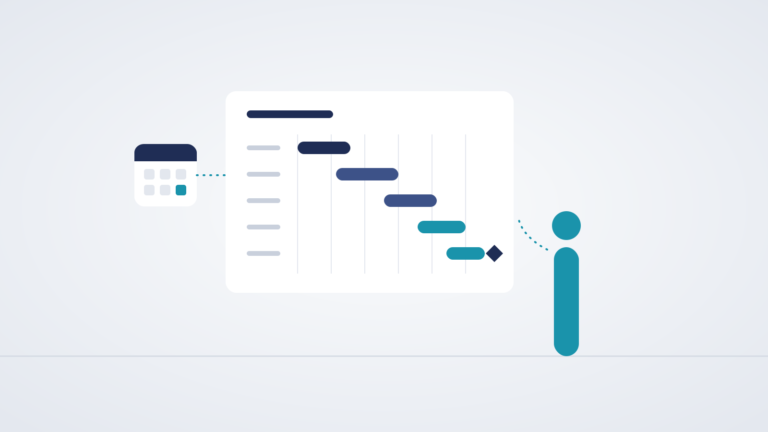
Headcount planning usually starts with roles: how many admins, developers, and analysts. Salesforce digital labor planning has to start one level down, with the work itself. A single role is a bundle of tasks, and agents take tasks, not whole jobs.
Pick a representative month and list the recurring work your Salesforce team and the teams it supports actually do. For each item, note four things:
| Work item | Volume | Repeatable? | Risk if wrong | Agent candidate? |
|---|---|---|---|---|
| Answering internal “how do I” questions | High | Yes | Low | Strong |
| Order status and simple service requests | High | Yes | Low to medium | Strong |
| Lead follow-up and meeting booking | High | Mostly | Medium | Good, with review |
| Refunds and account changes | Medium | Partly | High | Only with a human approval step |
| New automation and data model design | Low | No | High | Assist only |
| Release management and security reviews | Low | No | High | Assist only |
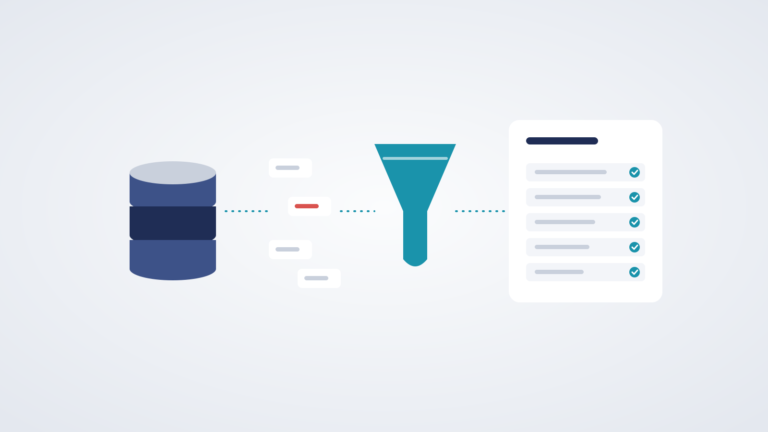
The pattern that emerges is consistent. High-volume, repeatable, low-risk work is where agents pay off first. Low-volume, high-judgment work stays with people, with AI as an assistant.
This exercise also exposes work nobody planned for, such as the time it will take to test and monitor agents. Capture that now, because it feeds Step 3.
Step 2: Decide What Agents Take On and What People Keep
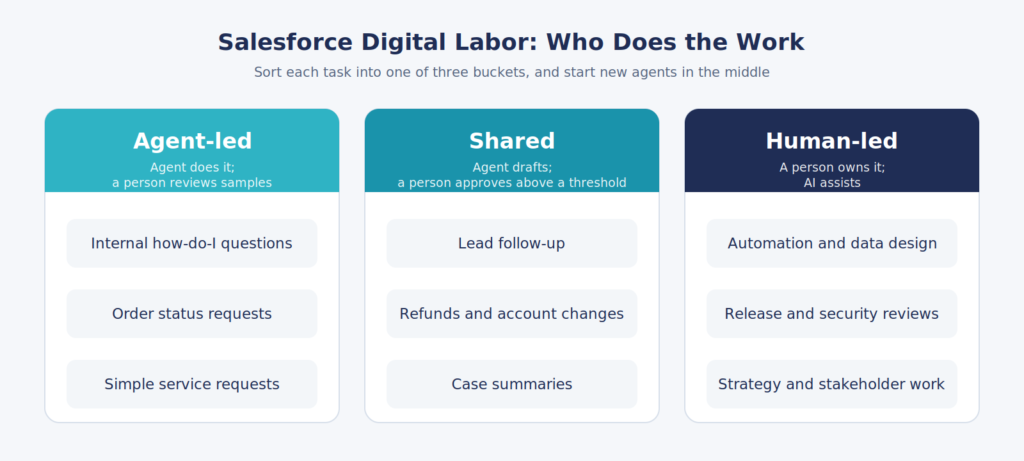
With the work mapped, sort each item into one of three buckets. This is where a Salesforce digital labor plan becomes concrete.
- Agent-led. The agent handles the task end to end, and a person reviews a sample of results each week. Good for high-volume, low-risk requests.
- Shared. The agent does the first pass and a person approves, edits, or takes over above a set threshold, such as a refund amount or a customer tier. Good for medium-risk work.
- Human-led. A person owns the work and uses AI as an assistant for drafting, research, or analysis. Good for design, judgment, and anything with high risk if wrong.
Two rules keep this from going wrong.
First, give every agent a named human owner. Someone has to be accountable for what each agent does, the same way someone is accountable for every automation in your org. Without an owner, problems go unnoticed until a customer finds them.
Second, move work between buckets gradually. Start agents in the shared bucket, watch the results, and promote them to agent-led only after they have earned it. That approach is slower than a big-bang rollout, but it is how teams avoid the high-profile mistakes that set AI programs back by a year.
Step 3: Add the Roles AI Agents Create
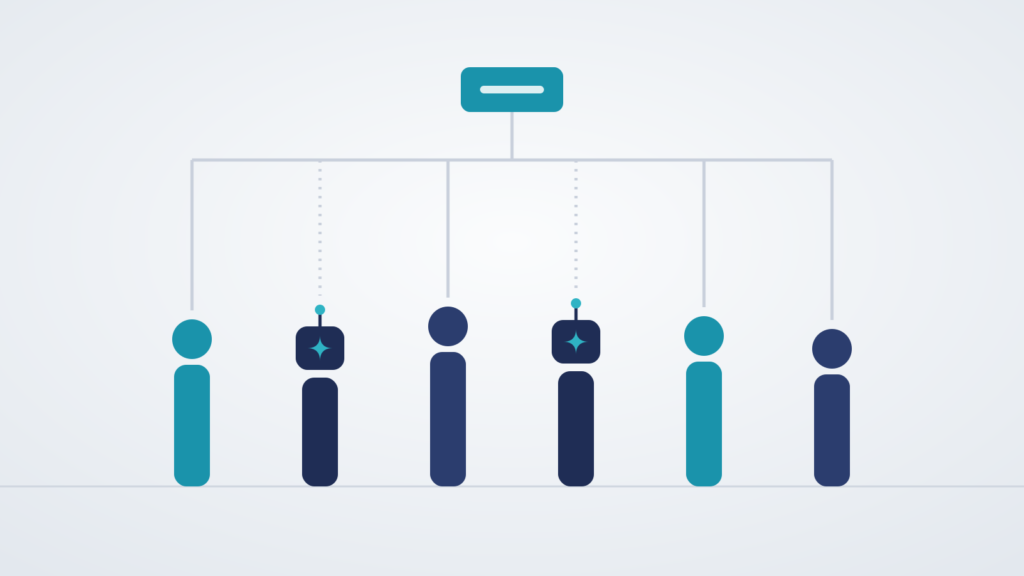
Every agent creates work for people. The AI agents on a Salesforce team need a small group of humans around them, and it is easy to underestimate how many.
| Role | What they do | Often comes from |
|---|---|---|
| Agent owner | Accountable for an agent’s results in a business area such as service or sales | Operations managers, team leads |
| Agentforce specialist or admin | Configures topics, instructions, and actions, and runs testing | Salesforce admins and consultants |
| Agentforce architect | Designs data access, orchestration, security, and governance across agents | Technical or solution architects |
| Data steward | Keeps the data agents rely on accurate, complete, and current | Admins, data analysts, Data 360 specialists |
| Agent QA and evaluation | Tests agent behavior before release and reviews results after | Support leads, QA analysts, business analysts |
| Forward deployed engineer | Works directly with business teams to build and adapt agents in real workflows | Developers, consultants, former support engineers |
You will not need all six as separate hires. In a mid-sized company, one Agentforce specialist may also be the data steward, and a team lead may be the agent owner. The point is that each responsibility has a name next to it.
Many of these people can come from inside. Salesforce’s research with HR leaders found they expect 61% of their workforce to stay in current roles alongside digital labor and about 23% to be redeployed to new roles or teams. Your admins and support leads already know your data and customers, which is the hardest part of running agents well.
For role-specific guidance, see our guides to how to hire an Agentforce architect, Salesforce Agentforce hiring, and what AI means for the admin role in Will AI Replace Salesforce Admins?.
Step 4: Budget for Agents and People Together
A Salesforce digital labor budget has more lines than a traditional headcount plan. Build all of them in from the start.
| Budget line | What to include | Common mistake |
|---|---|---|
| Agent costs | Licenses or consumption charges, plus Data 360 and integration costs | Budgeting the pilot volume instead of production volume |
| New roles | Agentforce specialist, architect, data steward, and agent QA time | Assuming existing staff can absorb the work on top of their jobs |
| Training and reskilling | Certification, protected learning time, and outside help for the first projects | Leaving it out entirely |
| Transition overlap | Keeping people on the work while agents prove themselves | Cutting roles before agents are stable |
| Savings | Backlog cleared, hires avoided, faster response times, revenue from follow-up that used to be missed | Counting only headcount reductions |
The savings line deserves care. For many teams, the first returns from digital labor show up as work that finally gets done, faster service, and hires you no longer need to make, rather than as layoffs. Salesforce’s own example fits that pattern: alongside reducing support headcount, it moved people into new roles. Presenting the budget this way also makes it easier for employees to support the change.
For role costs, use the ranges in our 2027 Salesforce salary guide. Agentforce specialists usually benchmark near senior admin or consultant pay, and Agentforce architects near senior technical architect pay.
Step 5: Phase the Change and Measure It
Agentforce workforce planning works best in stages. Only change the team once the agents have proven themselves.
| Phase | What happens | Team change |
|---|---|---|
| Pilot, about 90 days | One or two agents in the shared bucket, with close human review | Name agent owners and an Agentforce specialist; no reductions |
| Expand, next 3 to 6 months | Promote proven agents to agent-led, add new use cases | Add architect and data steward capacity as agents multiply |
| Rebalance, ongoing | Agents handle a stable share of the work | Redeploy people from repeatable work to higher-value roles, and adjust hiring plans |
Measure a short list of numbers every month:
- Resolution rate: how much work agents complete without a person
- Escalation rate and reasons: where and why agents hand off
- Error rate: how often a person has to correct an agent
- Time returned: hours your team gets back for other work
- Customer and employee satisfaction with agent interactions
- Backlog: whether the work that used to pile up is now getting done
Review the headcount plan each quarter against those numbers. If agents are stable and the backlog is clear, that is the moment to rebalance. If error rates are high, invest in data and testing before you change the team.
People will be watching how you handle this. Being open about the plan, and showing how people move into new roles, protects morale and keeps your best Salesforce talent from leaving. Our guides to structuring your Salesforce team, building a Salesforce talent acquisition strategy, and retaining Salesforce talent cover the people side in more depth.
Frequently Asked Questions
What is Salesforce digital labor?
Salesforce digital labor refers to AI agents, built on platforms such as Agentforce, that handle real work end to end alongside employees. Salesforce helped popularize the term with the launch of Agentforce 2.0 in December 2024.
Will AI agents reduce the size of my Salesforce team?
With Salesforce digital labor, agents may change the team’s shape more than its size. Agents can absorb high-volume, repeatable work, but they also create new work in configuration, testing, data quality, security, and governance. Many teams redeploy people into those roles rather than cutting headcount.
What new roles do AI agents create on a Salesforce team?
Common new responsibilities include agent owners, Agentforce specialists, Agentforce architects, data stewards, agent QA and evaluation, and forward deployed engineers who build agents with business teams.
How do I plan headcount with AI agents?
Map the work rather than the roles, decide which tasks agents should lead, share, or leave to people, add the roles agents need, budget for agents and people together, and change the team in phases based on measured results.
How many AI agents do companies use?
Salesforce’s 2026 Agentic Enterprise Index found the average organization in its study went from 5 activated agents in February 2025 to 13 by April 2026.
Should I cut staff before deploying AI agents?
No. Agents need people who know your data and processes to configure, test, and monitor them. Cutting those people before agents are stable is a common way rollouts fail.
Plan the Team Around the Work
Salesforce digital labor makes team planning more precise. Map the work, let agents take what they do well, put a named person next to every agent, budget for the new roles, and change the team only as fast as the results justify. Teams that plan this way end up with fewer people doing repeatable tasks and more people doing the work that makes agents succeed.
Planning a Salesforce team with AI agents in it? Talk to our Salesforce recruiters. We help companies find the Agentforce specialists, architects, and platform owners who make digital labor work, and we can tell you what those roles cost in today’s market.